Prerequisites
Webplayer is only available for Enterprise accounts. If you would like to explore an Enterprise account for your team, get in touch.
API Token
Before you begin, you must have a Corellium API token. Learn how to generate an API token on our Admin interface.
Contact us to enable the Webplayer
Additionally, your domain must be allowed to use the Webplayer before you begin. Please contact us to enable the Webplayer feature.
Add your whitelisted domains
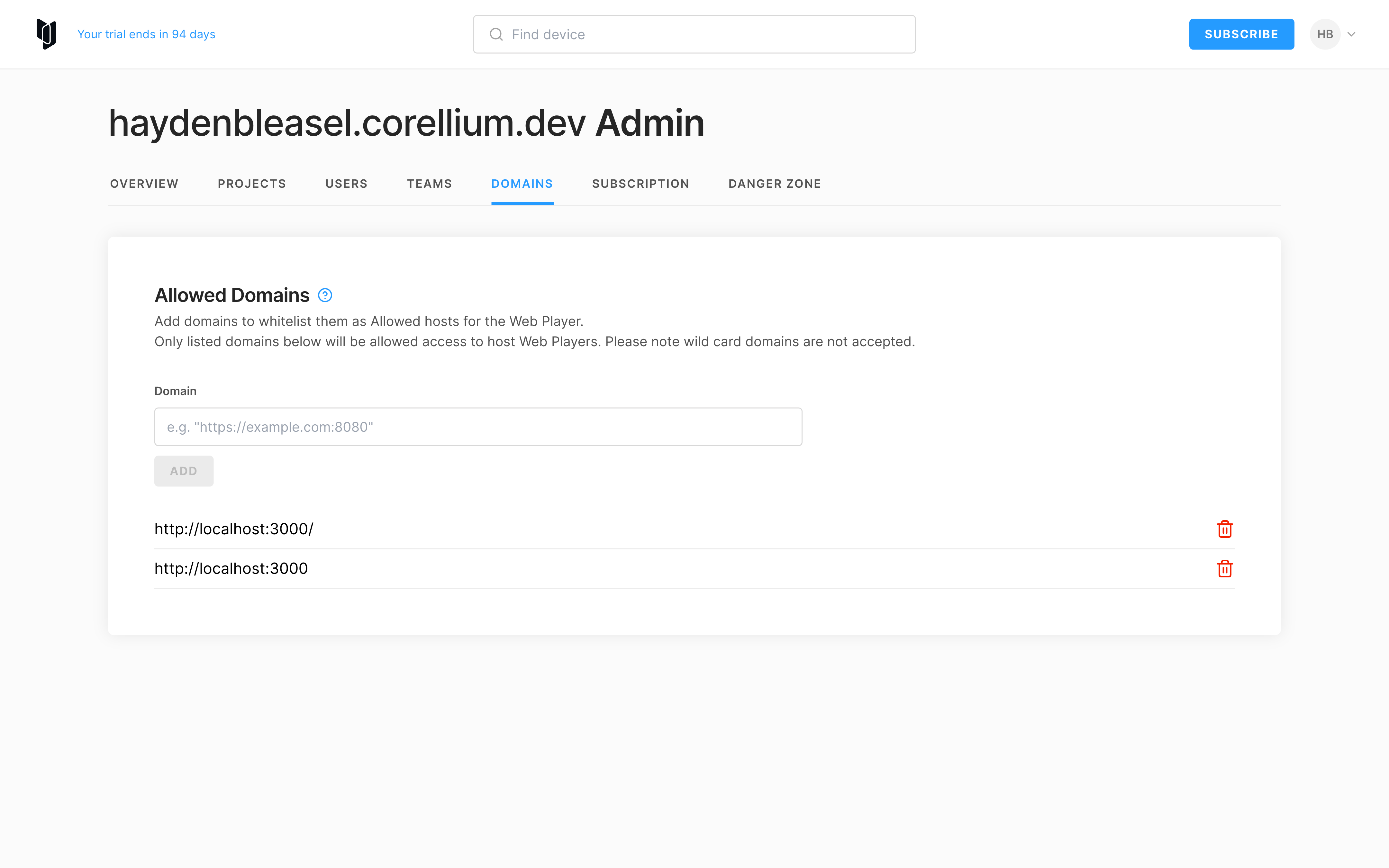
Once our team has contacted you to let you know the Webplayer is enabled on your account, log out and then back in. You'll then find the ability to add a new domain in the Admin interface in the UI:
Create a blueprint snapshot
The Webplayer utilises a snapshot of a device as a blueprint of sorts for new devices. You can create a snapshot of a device in our UI or via the API. Learn more about snapshots.
Get your snapshot ID
Once you have created a snapshot, you'll need to get the ID of the snapshot. You can find this using one of our APIs. For example, to get the ID of a snapshot using our REST API, you can use the following command:
curl https://[your_domain]/api/v1/instances/[your_instance_id]/snapshots \
  -G \
  -H "Authorization: Bearer [your_api_token]"